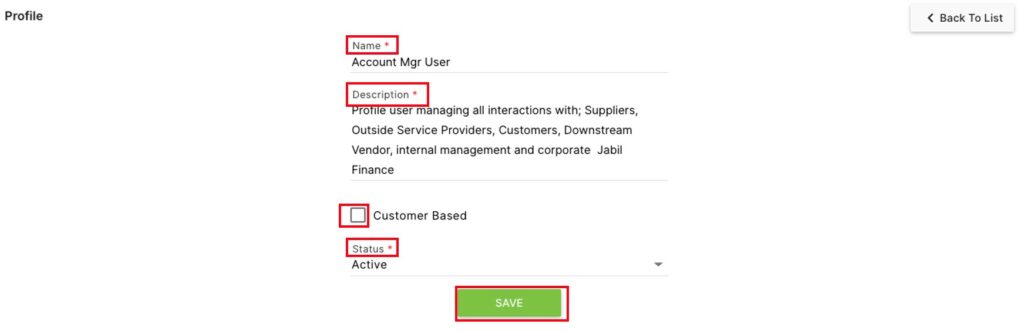
The Profile second level page controls the types of user account profiles in the system.
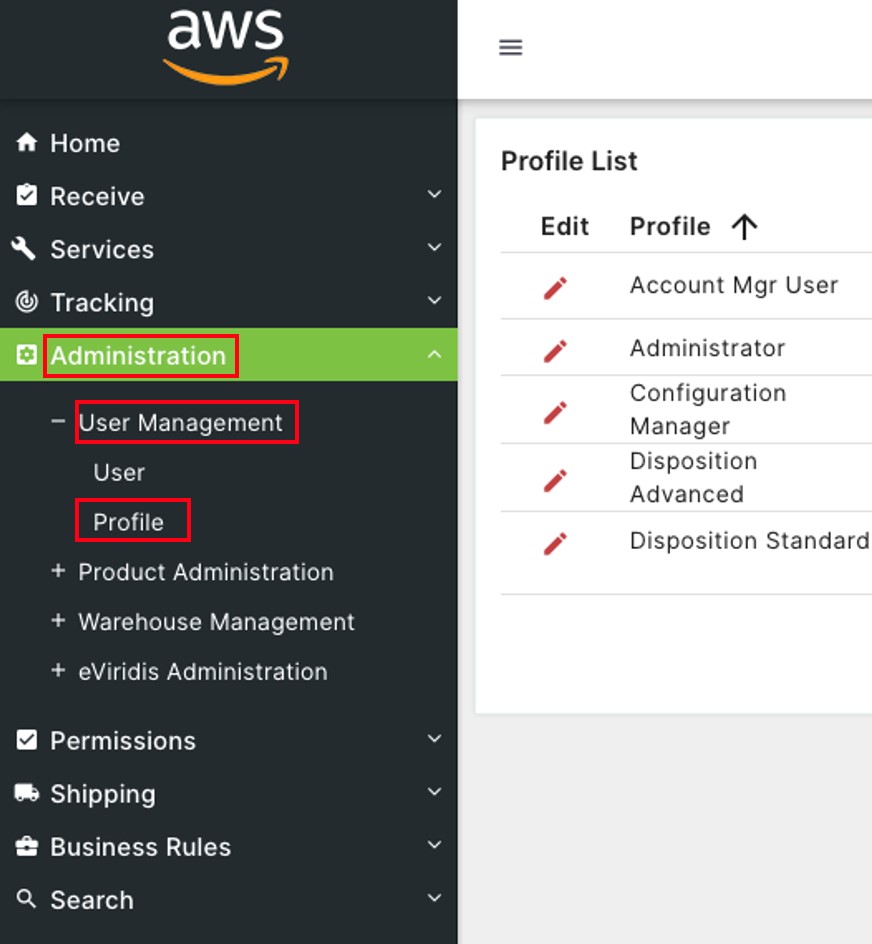
Click on Administration to open the sub-module list. Click User Management to open the second level page list. Choose Profile.

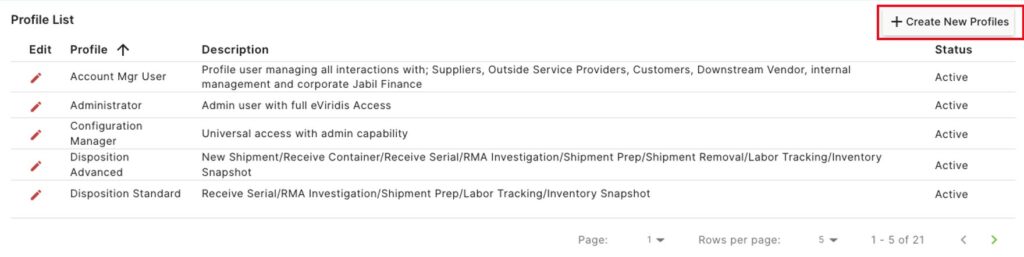
On the Profile List, click + Create New Profile to add a new user profile.

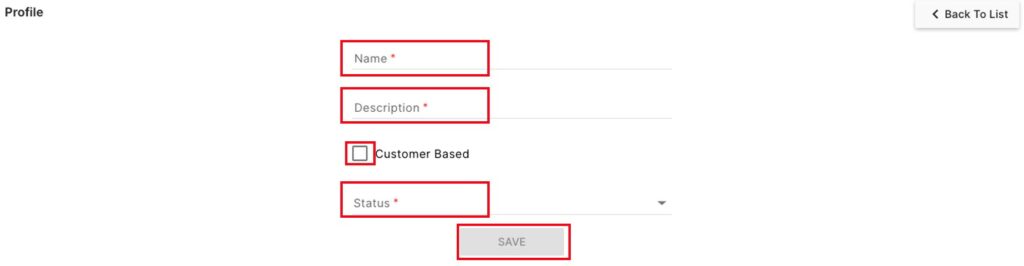
On the Profile page, enter a Name and Description, and choose a Status from the drop-down.
Optionally, click the 

Click Save to finish creating the new profile

On the Profile List, click on the 


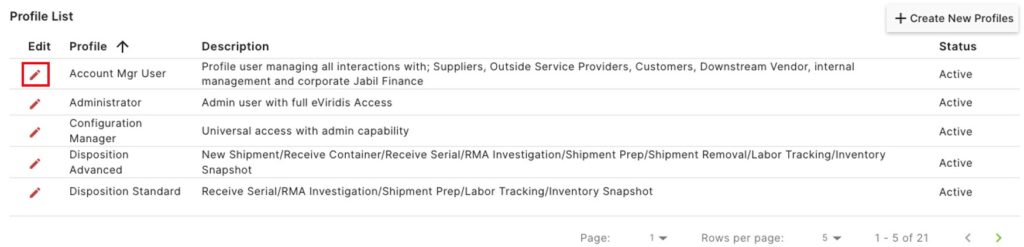
Update any of the fields for this profile (Name, Description, Customer based, or Status), and click Save.