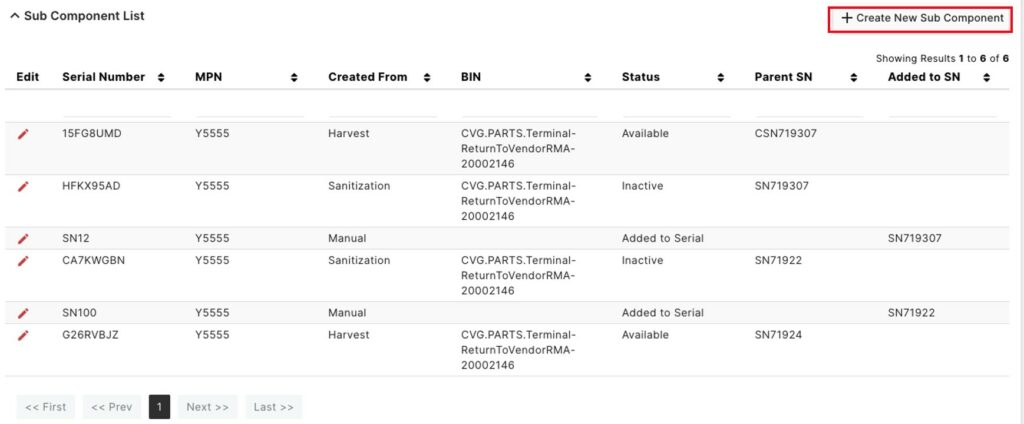
This page details sub components in the system
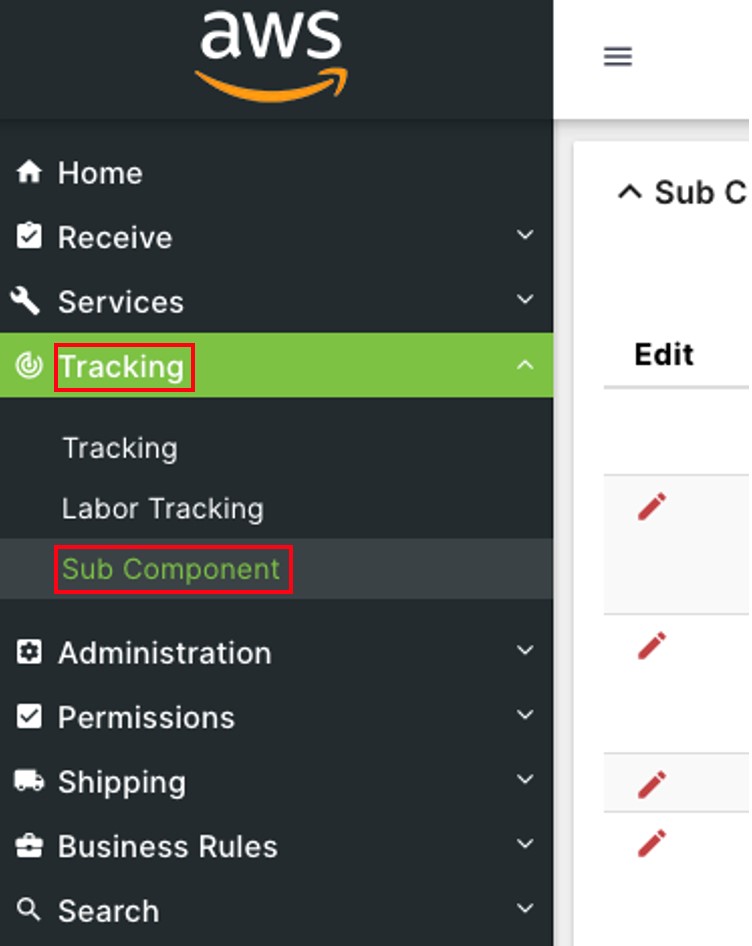
Click on Tracking to open the sub-module list. Choose Sub Component.

On Sub Component List page, click 

Type in the space below any of the above header categories to filter them.
Click on the 


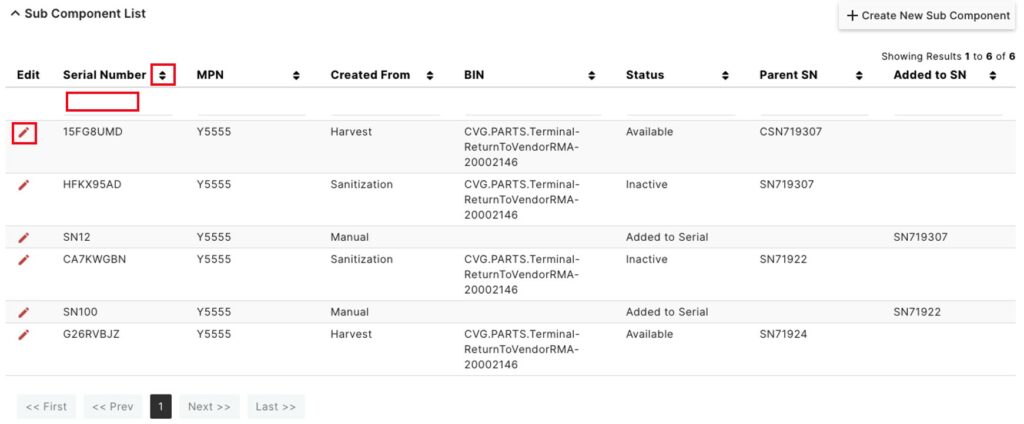
On the Sub Component details page, change the BIN if desired, and click Save.
Click Create New Sub Component to create a new sub component.


Enter a Serial Number, MPN, and BIN for the new sub component.
Click Save. Click Back To List to return to the full sub component list.


Alternatively, users can also click Create New Sub Component from the Sub Component List page.