
The manufacturer second level page contains manufacturer details in the system.
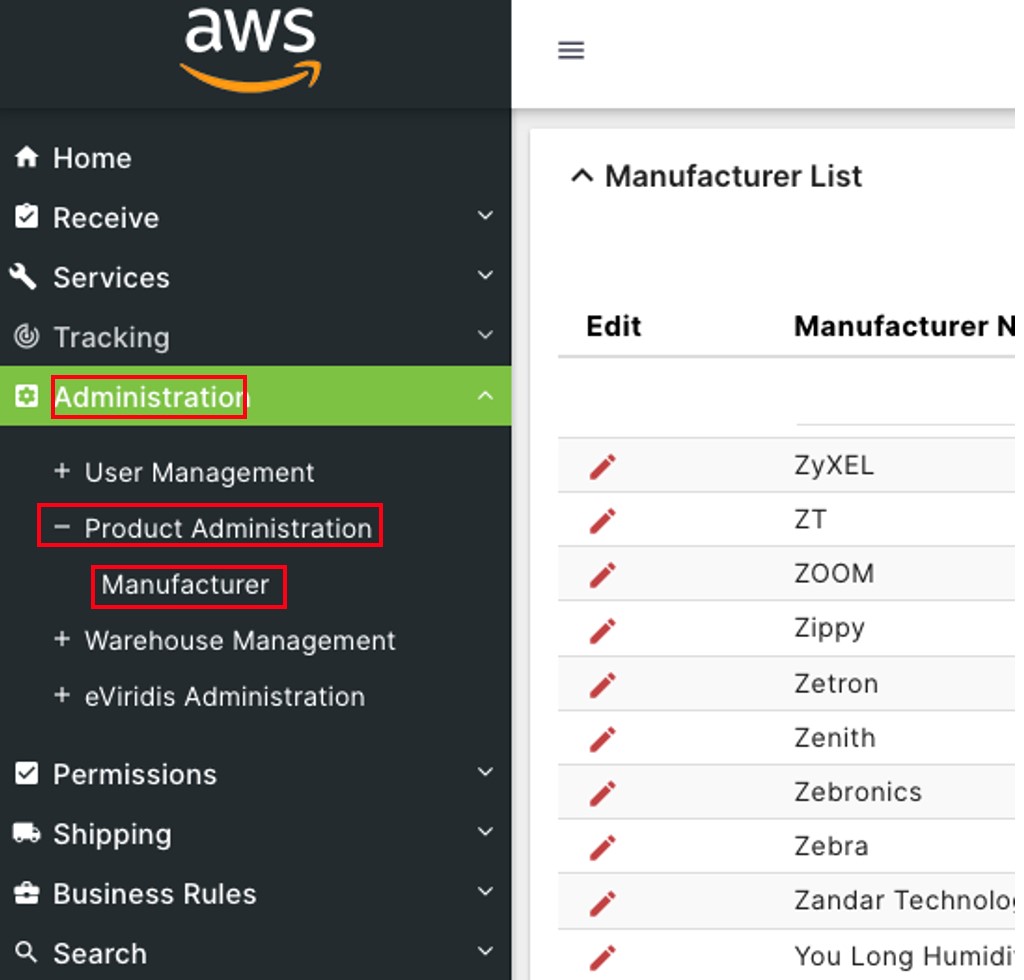
Click on Administration to open the sub-module list. Click Product Administration to open the second level page list. Choose Manufacturer.
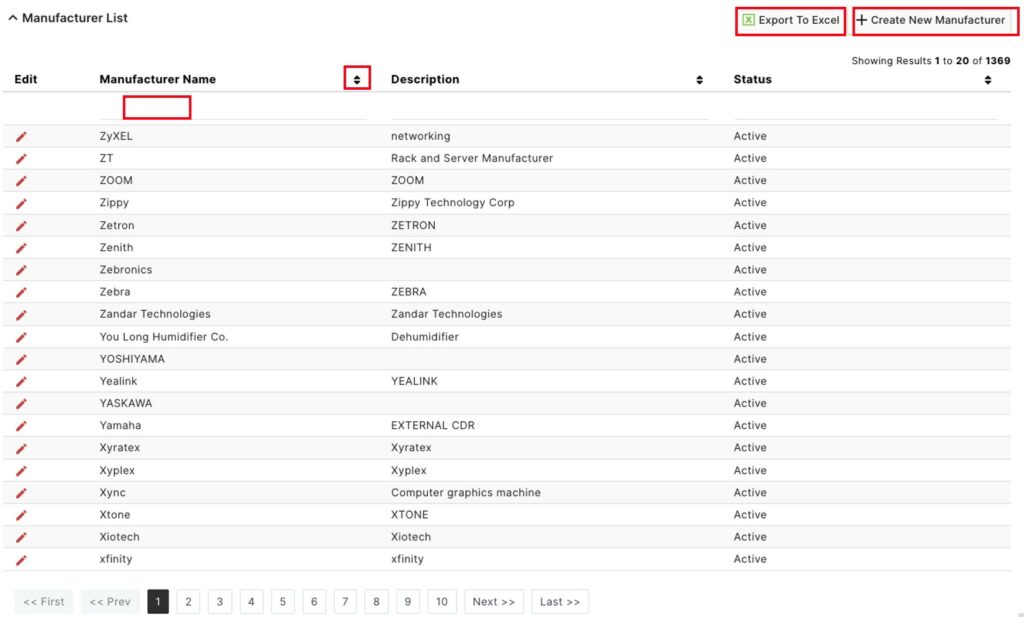
On the Manufacturer List page, click  to sort by Manufacturer Name, Description or Status.
Type in the space below any of the above header categories to filter them.
Click Export to Excel to download the manufacturer list.
Click + Create New Manufacturer to add a new user to the system.
On the Manufacturer Creation(s) page, enter a Manufacturer Name and Description. Choose a Status from the drop-down and click Save.

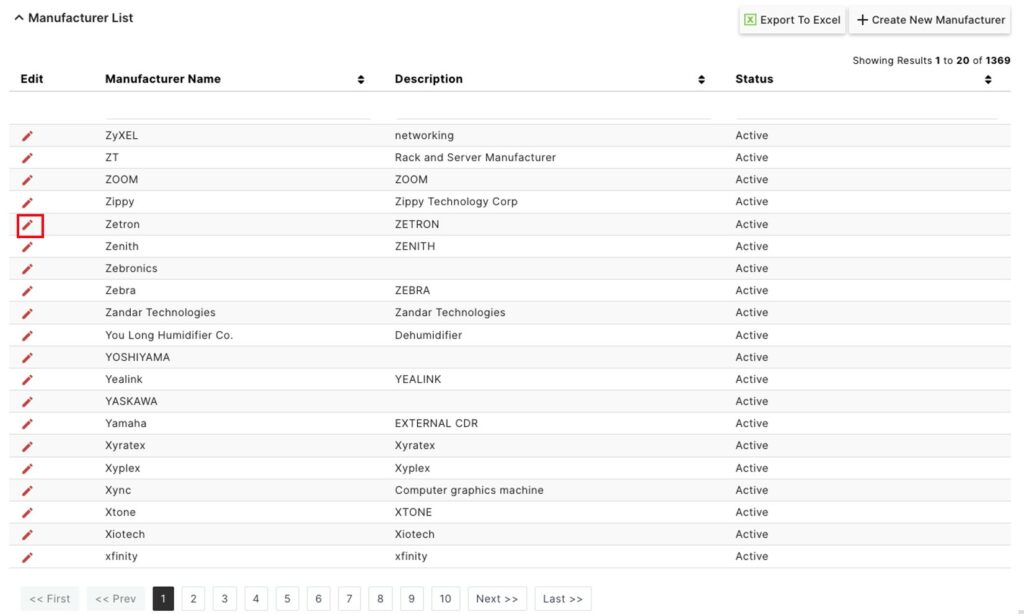
On the Manufacturer List, click on the  button to Edit a manufacturer.
Update any of the fields for this manufacturer (Manufacturer Name, Description, or Status), and click Save.
